
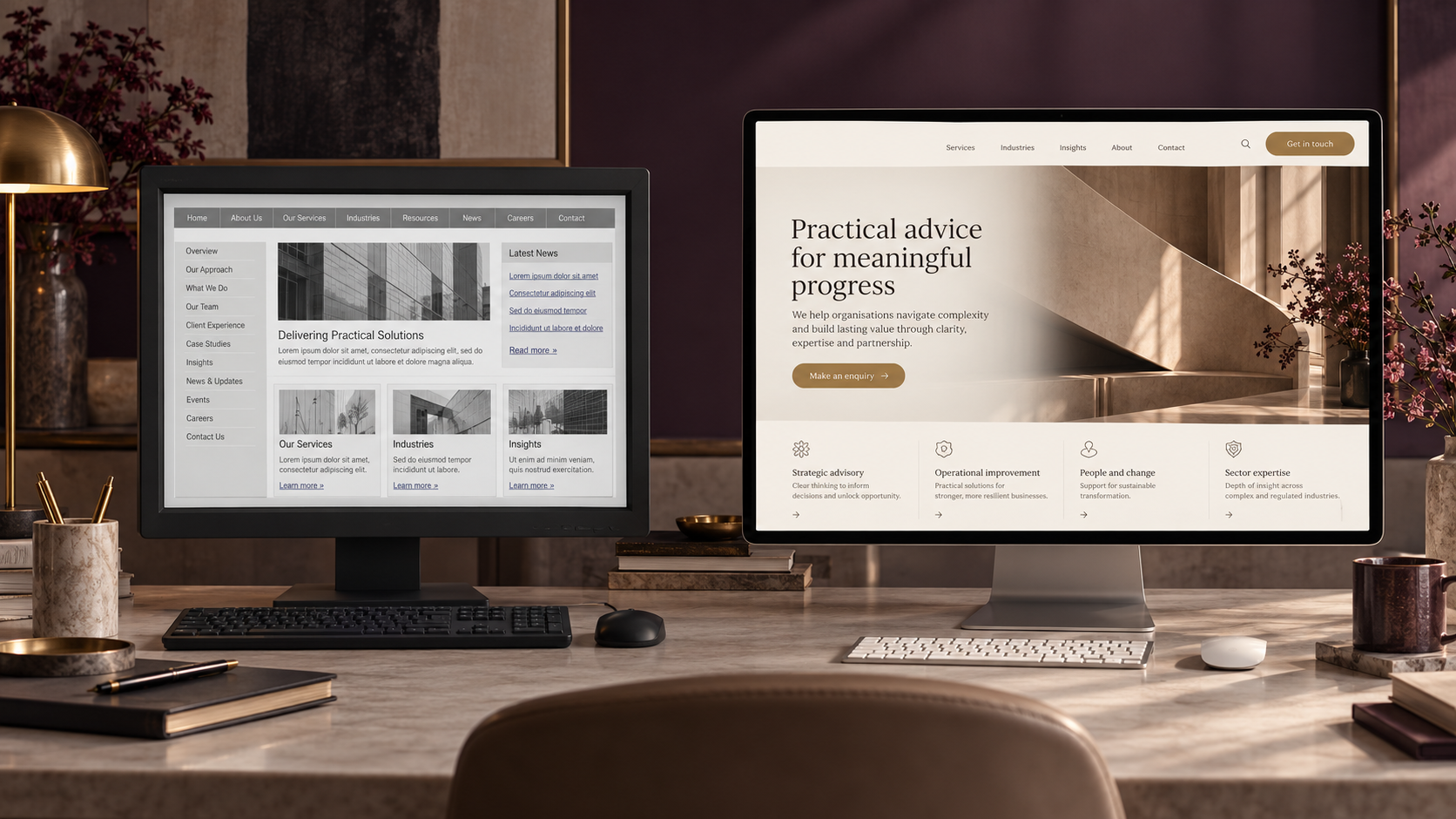
A website redesign focuses primarily on changing how a website looks, feels, and presents information, while website modernization takes a broader approach to improving its design, structure, technology, performance, usability, and business functionality. A modernization project may include a redesign, but it also considers whether the website still supports how the business operates and attracts clients today.
For established professional service businesses, the difference matters.
You may have a website that still works technically but no longer represents the company you’ve built.
Or perhaps the design looks fine, but the website is difficult to update, doesn’t generate meaningful inquiries, and relies on outdated technology.
Both situations need attention.
But they don’t necessarily need the same solution.
Before deciding to redesign or rebuild your website, it’s worth understanding what actually needs to change.
What Is a Website Redesign?
A website redesign is the process of improving or changing a website’s visual appearance, layout, content presentation, and user experience.
The goal is usually to make the website more attractive, easier to navigate, and better aligned with the business’s current brand.
A redesign might involve updating the homepage, improving the navigation, reorganizing service pages, changing typography, replacing images, or creating a more consistent visual style.
For example, imagine an accounting firm that launched its website five years ago.
Since then, the business has grown.
It now offers advisory services, works with larger clients, and has developed a stronger reputation.
But its website still looks like a small bookkeeping business.
The services are technically listed.
The contact form works.
The website loads.
However, the presentation no longer reflects the firm’s expertise.
A website redesign could help communicate that growth more effectively.
What Does a Website Redesign Usually Include?
Depending on the scope, a redesign may include visual branding improvements, updated page layouts, clearer service descriptions, improved navigation, mobile responsiveness, stronger calls to action, and better content organization.
The existing website platform may remain unchanged.
For example, a business using WordPress might keep its current setup while redesigning pages using Elementor.
Not every redesign requires replacing the entire website.
Sometimes the foundation is already strong.
It simply needs a better presentation.
What Is Website Modernization?
Website modernization is the process of updating an existing website so it better supports the business’s current needs, technology, and customer journey.
Unlike a project focused mainly on appearance, modernization looks at the website as a working business system.
That includes the parts visitors see and the parts operating behind the scenes.
A modernization project may involve redesigning pages, restructuring content, improving performance, updating technology, rebuilding templates, connecting forms to a CRM, improving accessibility, and making the website easier to maintain.
For example, consider a consulting business with a WordPress website.
The website has been updated several times over the years.
Different developers have added plugins.
Some pages use an older page builder.
Other pages use a newer one.
The header is controlled by the theme, while individual pages have their own styling.
The contact form sends emails, but inquiries aren’t consistently recorded in the CRM.
The website still works.
But every update takes longer than it should.
In this situation, changing the colors and homepage layout wouldn’t solve the underlying problems.
The business may benefit more from website modernization.
What Can Website Modernization Include?
A modernization project may address several areas of the website.
Design and user experience: Updating layouts, navigation, mobile responsiveness, and the way services are presented.
Website architecture: Improving how pages, content, and navigation are organized.
Technology: Reviewing the theme, page builder, plugins, integrations, and hosting environment.
Performance: Identifying unnecessary scripts, oversized images, outdated components, or other issues affecting page speed.
Lead generation: Improving forms, booking paths, calls to action, and conversion opportunities.
CRM integration: Connecting website inquiries to the systems responsible for qualification and follow-up.
Maintainability: Creating reusable templates, consistent styles, and a structure that is easier to manage.
The scope depends on what is already working.
Modernization doesn’t automatically mean replacing everything.
In many cases, the better decision is to preserve the useful parts and improve the areas creating friction.
Website Redesign vs. Website Modernization: What Is the Difference?
The simplest way to understand the difference is to look at what each approach is trying to solve.
| Area | Website Redesign | Website Modernization |
|---|---|---|
| Primary focus | Appearance and user experience | Overall website capability and effectiveness |
| Visual design | Usually a major component | Included when necessary |
| Website structure | May be improved | Reviewed as part of the wider system |
| Technology | Often retained | Reviewed, updated, or replaced when needed |
| Performance | May be improved | Usually assessed more thoroughly |
| CRM integration | Not always included | Can be part of the project |
| Lead generation | Better calls to action and page design | Conversion paths, forms, tracking, and follow-up connections |
| Maintenance | May remain unchanged | Often improved |
| Best suited for | Websites with a solid foundation but outdated presentation | Websites that no longer support the business effectively |
These aren’t rigid industry categories.
A comprehensive redesign can include technical improvements, and modernization may involve substantial visual changes.
The important distinction is the problem you’re trying to solve.
If the main issue is presentation, a redesign may be enough.
If the website has structural, technical, or operational limitations, modernization may be more appropriate.
When Should You Redesign Your Website?
A redesign makes sense when the website’s underlying technology and functionality are still reliable, but the experience no longer reflects the business.
Here are a few situations where I would consider redesigning first.
1. Your Brand Has Changed
Perhaps your business started by offering one service.
Now you provide several.
Your positioning has become more specialized.
Your clients have changed.
But your website still communicates the original version of the business.
A redesign can help bring the website back into alignment with your current direction.
2. Your Website Looks Outdated
An outdated appearance doesn’t automatically mean the technology is outdated.
Sometimes the website simply needs stronger visual hierarchy, better typography, improved spacing, updated imagery, and more consistent layouts.
If everything behind the scenes is functioning properly, replacing the entire website may be unnecessary.
3. Visitors Struggle to Understand Your Services
Your website might contain all the necessary information but present it poorly.
Service descriptions may be too broad.
Navigation may be confusing.
Important information may be buried several clicks away.
A redesign focused on content structure and usability can make the website easier to understand.
4. Your Calls to Action Are Unclear
If visitors cannot easily identify what to do next, the website may need a better conversion path.
For professional services, that next step might be booking a consultation, submitting an inquiry, requesting a quote, or exploring a specific service.
The right redesign can make those actions easier to find.
But remember: improving the button doesn’t automatically improve what happens after someone clicks it.
That belongs to the wider client journey.
When Should You Modernize Your Website?
Modernization becomes more relevant when the website’s limitations extend beyond appearance.
These are some of the situations I would investigate.
1. Your Website Is Difficult to Update
This is a common problem with websites that have gone through several rounds of development.
A small change requires custom CSS.
Updating a header affects several pages.
Different sections use inconsistent templates.
A plugin update breaks an existing layout.
Your team avoids making changes because nobody is sure what else might be affected.
When routine maintenance becomes difficult, the website may need a more reliable technical foundation.
2. Your Website Uses Outdated Technology
An older theme or page builder isn’t automatically a problem.
But unsupported software, incompatible plugins, and outdated configurations can create maintenance and security risks.
Modernization may involve reviewing which components should remain and which should be replaced.
For WordPress websites, I would check the theme, plugins, PHP compatibility, page builder, custom code, and update history before deciding on the approach.
The official WordPress update documentation explains how core software, themes, and plugins are maintained, while its plugin update guidance recommends maintaining backups so changes can be rolled back when necessary.
3. Your Website Doesn’t Connect to Your CRM
Imagine someone submits an inquiry.
The form sends an email notification.
Someone manually copies the information into a CRM.
Another person follows up.
If nobody remembers, the inquiry sits unanswered.
The website technically generated a lead.
But the process afterward is disconnected.
Website modernization can include improving how forms, booking tools, CRM systems, and follow-up processes work together.
For a growing B2B business, this can be more valuable than changing the homepage design alone.
4. Your Website Has Performance Problems
A slow website can create a frustrating experience.
But I wouldn’t immediately recommend a complete rebuild just because a page-speed report shows problems.
First, identify the cause.
It could be oversized images, unnecessary scripts, poor caching, hosting limitations, plugins, or an inefficient page structure.
Some issues can be fixed through targeted optimization.
Others may require more substantial changes.
The decision should come from an audit, not an assumption.
5. Your Business Has Outgrown the Website Structure
A company that started with three pages may eventually need dedicated service pages, industry-specific content, case studies, resources, and better inquiry paths.
Simply adding more pages to the existing structure can make navigation increasingly confusing.
Modernization provides an opportunity to rethink the information architecture.
The goal is to make the website easier to navigate as the business grows.
What Should You Check Before Redesigning or Modernizing a Website?
Before recommending either approach, I would want to understand the current website.
Not just how it looks.
How it works.
Start With the Business
What does the company offer today?
Who are its ideal clients?
What has changed since the website was originally built?
Which services matter most?
What should a qualified visitor do?
These questions help establish whether the website’s biggest problem is design, messaging, functionality, or something else.
Review the Existing Website
Next, I would examine the current setup.
For a WordPress website, that means looking at the theme, page builder, plugins, templates, custom styling, mobile layouts, and existing integrations.
I would also review the content structure and identify which pages are still useful.
Not every old page should be deleted.
Some may already attract relevant visitors or support the sales process.
Review the Visitor Journey
This is where website strategy becomes more interesting.
Choose a typical potential client.
Imagine they arrive on your homepage.
Can they immediately understand what you do?
Can they find the service they need?
Is there enough information to establish trust?
Can they identify the next step?
What happens after they submit an inquiry?
If the experience breaks down after the contact form, redesigning the homepage alone may not solve the problem.
Review the Data
If analytics are available, look at the existing website’s performance.
Which pages receive traffic?
Where do visitors enter?
Which pages generate inquiries?
Are visitors using the booking form?
Are important pages being found through search?
Where do people appear to leave the journey?
This helps distinguish between what the business thinks is wrong and what the available evidence suggests.
You don’t need a complicated analytics setup to begin.
But you should avoid replacing useful pages or features without understanding their role.
Can You Modernize a WordPress Website Without Rebuilding Everything?
Yes.
A WordPress website can often be modernized without starting completely from scratch.
The right approach depends on the existing theme, plugins, page builder, content structure, and technical condition.
For example, a website may already have a strong content foundation.
Its service pages are useful.
Its search visibility is stable.
The main problems are inconsistent styling, outdated templates, and limited flexibility.
In that case, the project may focus on improving the existing structure rather than replacing every page.
Another website might have deeper issues.
Perhaps an older theme controls most of the layout.
The page builder is no longer suitable.
There are conflicting templates and years of custom styling.
In that situation, rebuilding parts of the website may be the cleaner long-term solution.
What About Moving From an Older Theme to Elementor?
This is a good example of where modernization requires more than visual design.
Moving from an older theme or page builder to Elementor isn’t always a matter of copying the content into new sections.
The existing theme may control headers, footers, blog layouts, page templates, typography, and other site-wide elements.
Changing one component can affect several others.
Before rebuilding, I would want to know exactly which system controls each part of the website.
Then I would decide what should be recreated, retained, or removed.
The goal isn’t simply to make the new website look like the old one.
It’s to create a cleaner structure that the business can maintain more confidently.
How Does Website Modernization Affect SEO?
Website modernization can affect SEO, particularly when the project changes URLs, content, internal links, page structure, or technical configurations.
That doesn’t mean modernization is bad for SEO.
It means search visibility needs to be considered during planning rather than after launch.
One mistake I would avoid is treating the new website as a completely separate project from the existing one.
Your current website may already have pages that rank for relevant searches.
Those pages have value.
Before changing them, understand what they contribute.
Preserve Useful URLs Where Possible
If a page already performs well and its URL still makes sense, there may be no reason to change it.
Changing URLs unnecessarily creates additional migration work.
When URLs do need to change, create a mapping between the old and new addresses.
Use Appropriate Redirects
If an existing page moves to a new URL, implement the appropriate permanent redirect.
Avoid sending every removed page to the homepage.
The destination should be relevant to the original content.
Google’s official site migration guidance recommends preparing URL mappings, testing the new site, implementing redirects, and monitoring search performance after migration. Google for Developers
Review Internal Links
When page addresses change, internal links should be updated to point to the correct destinations.
That includes navigation links, service-page links, blog links, and calls to action.
Check Indexing Settings
Development and staging environments sometimes use settings that prevent search engines from indexing the site.
Those settings must be reviewed before launch.
A website can look perfect while still having technical configurations that prevent important pages from appearing in search results.
Monitor Performance After Launch
After modernization, review search performance, indexing, broken links, and important conversion paths.
Some fluctuations can occur after significant changes.
Google notes that search rankings may temporarily fluctuate during site moves while pages are recrawled and reindexed. Google for Developers
The important part is having a plan to identify and address unexpected problems.
A modernized website should protect what is already working while improving what isn’t.
What Should a Professional Services Website Actually Accomplish?
This is the question I would ask before approving either a redesign or modernization project.
For a professional service firm, the website should do more than look credible.
It should support the process of becoming a client.
Communicate Your Expertise Clearly
A potential client should understand what you do and who you help without having to interpret vague marketing language.
For example, an IT services company might offer managed IT support, cybersecurity, cloud migration, and consulting.
Those services should be easy to distinguish.
A visitor looking for cybersecurity support shouldn’t have to search through a general services page to understand whether the company can help.
Build Confidence
Professional services often involve higher-consideration decisions.
Visitors may want to understand your experience, approach, qualifications, and previous work before reaching out.
Your website should make that information accessible.
Support Qualified Inquiries
More inquiries are not automatically better.
The website should help the right people understand whether the service is suitable for them.
Clear service descriptions, relevant questions, and appropriate calls to action can help improve the quality of incoming conversations.
Connect to the Next Stage
Once someone submits an inquiry, the website’s job isn’t necessarily finished.
The business still needs to capture the information, respond, qualify the opportunity, and manage the next step.
This is where website strategy connects with CRM automation and lifecycle marketing.
The website creates the opportunity.
The rest of the system helps manage it.
How Do You Decide Between Website Redesign and Modernization?
I would make the decision based on the condition of the existing website and the business problem you’re trying to solve.
Here is a practical way to approach it.
Choose a Redesign When:
Your existing website technology is reliable, the structure is manageable, and the main problems involve branding, messaging, layouts, navigation, or presentation.
The website needs to communicate better, but its foundation is still suitable.
Consider Modernization When:
Your website has technical limitations, inconsistent templates, outdated components, difficult maintenance, disconnected integrations, or structural problems that affect how the business operates.
Improving the appearance alone would leave important issues unresolved.
Consider a More Complete Rebuild When:
The existing platform or architecture is creating more limitations than value.
For example, rebuilding may make sense when the current theme or page builder is difficult to maintain, important functionality cannot be implemented reliably, or extensive changes would be more complicated than creating a cleaner foundation.
But I wouldn’t recommend rebuilding everything without reviewing what can be preserved.
A rebuild should solve a problem.
It shouldn’t be the default answer to every outdated website.
A Practical Example: An Established Accounting Firm
Imagine an accounting firm that has been operating for several years.
It started with bookkeeping and tax preparation.
Over time, it expanded into business advisory, financial planning support, and more specialized services.
Its website still uses the original design.
The homepage focuses mainly on bookkeeping.
The advisory services are buried in a dropdown menu.
The contact form sends inquiries to a shared inbox.
The firm has a CRM, but website inquiries aren’t automatically recorded there.
The website also uses an older theme that makes changes difficult.
At first, the business thinks it needs a redesign.
And it does need visual improvements.
But a redesign alone would leave several important problems untouched.
A more useful project might involve:
First, repositioning the website.
Clarify the firm’s current services and target clients.
Second, restructuring the pages.
Create clearer paths for bookkeeping, tax, and advisory services.
Third, improving the technical foundation.
Review the existing theme, templates, and page builder to make future updates easier.
Fourth, connecting the inquiry process.
Ensure relevant form submissions enter the CRM and reach the right person.
Finally, testing the full journey.
Check what happens from the moment someone visits a service page until the team receives and responds to the inquiry.
The result isn’t simply a newer-looking website.
It’s a website that better supports how the accounting firm operates today.
This is a hypothetical example, but it’s the kind of distinction worth making before choosing a project scope.
How Much Should You Change at Once?
Not every website needs a complete transformation.
Sometimes the most practical approach is to improve the highest-impact areas first.
For example, a professional service firm might begin with its homepage, main service pages, navigation, and inquiry process.
Once those are working properly, it can improve supporting content, resources, and other sections.
A phased approach can be useful when the website has a reliable foundation and the business wants to spread the work across manageable stages.
However, some technical changes are better handled together.
If the existing theme or page builder is being replaced, it may make more sense to rebuild related templates as part of one coordinated project.
The decision should account for cost, technical dependencies, risk, and the business’s priorities.
I would rather see a business invest in the improvements that solve its biggest problems than spend its entire budget changing things that were already working.
Your Website Should Grow With Your Business
A website that worked when your business started may not be the website you need today.
Your services change.
Your clients change.
Your expertise develops.
Your internal systems become more sophisticated.
And the way people evaluate your business may change too.
That doesn’t mean you need a completely new website every few years.
It means your website should be reviewed as part of your business—not treated as something that is finished forever once it launches.
Sometimes that means a redesign.
Sometimes it means improving a few important pages.
Sometimes it means modernizing the technology, structure, and integrations behind the website.
The right approach depends on what is holding the business back.
Before deciding what to replace, understand what is already working.
Then improve the parts that no longer support where your business is going.
Is Your Website Still Supporting the Business You’ve Built?
If your website no longer reflects your expertise, is difficult to maintain, or doesn’t support the way you generate and manage inquiries, the first step is understanding what actually needs to change.
At Marvz Solutions, I help established professional service and B2B businesses improve their websites through strategic design, WordPress modernization, and connected client journey systems.
Whether you need a focused redesign or a more complete modernization, the goal is to build on what works and improve what doesn’t.
Frequently Asked Questions
What is the difference between website redesign and website modernization?
Website redesign primarily focuses on improving a website’s appearance, layout, messaging, and user experience. Website modernization takes a broader approach that may also include technical upgrades, structural improvements, performance optimization, integrations, and maintainability.
Is website modernization the same as rebuilding a website?
No. Modernization may involve rebuilding parts of a website, but a complete rebuild is not always necessary. The scope depends on the condition of the existing website and what needs to improve.
Can I modernize my WordPress website without losing my content?
Yes. Existing content can often be preserved during modernization. However, the process should include backups, content review, testing, and a migration plan when necessary. Important pages and URLs should be evaluated before changes are made.
Will redesigning my website affect SEO?
It can. Changes to URLs, page content, internal links, technical settings, or site structure may affect search visibility. A well-planned redesign should consider existing search performance and include appropriate testing and monitoring.
Should I switch from my current WordPress theme to Elementor?
Not automatically. Elementor may be suitable when you need more flexible page design and reusable templates, but the decision depends on your existing website, technical requirements, and maintenance needs. Review the current setup before choosing a replacement.
How often should a professional services website be redesigned?
There is no fixed schedule. A website should be reviewed regularly, but a full redesign is usually more useful when the business’s positioning, services, audience, or website performance has changed enough to justify it.
How do I know if my website needs modernization?
Common signs include difficult maintenance, outdated technology, inconsistent templates, poor mobile usability, disconnected forms and CRM systems, technical limitations, or a website structure that no longer supports the business’s services and growth.
Is website modernization worth it for a small B2B business?
It can be, particularly when the existing website creates friction for visitors or the internal team. The value depends on the problems being solved. A targeted modernization may be more appropriate than a complete rebuild for a small business with limited resources.
