
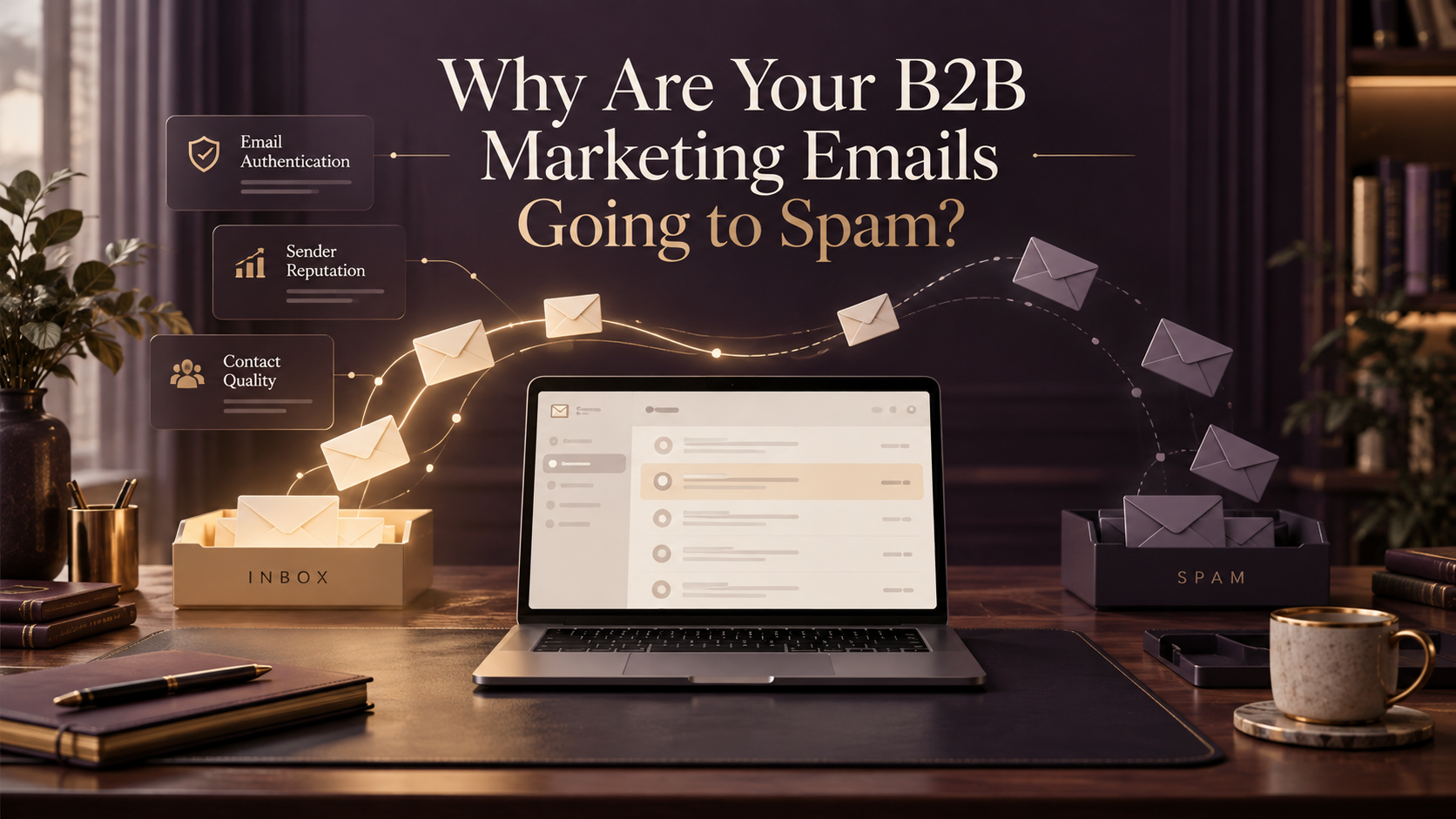
The best way to fix email deliverability is to identify which part of your sending process is causing the problem before changing your campaigns.
A lot of businesses assume that when an email campaign underperforms, the problem must be the content.
Maybe the subject line wasn’t interesting enough.
Maybe the email was too long.
Maybe the call to action wasn’t strong enough.
Those things can affect engagement.
But what if the email never reached the recipient’s inbox in the first place?
You can spend hours improving the copy, redesigning the template, and adjusting your automation, only to discover that the real issue is happening before the recipient even sees the message.
I’ve worked with large contact databases, email campaigns, and marketing automation systems long enough to know that deliverability problems aren’t always obvious.
Sometimes everything looks normal inside the email platform.
The campaign says it was delivered.
The bounce rate looks acceptable.
The workflow completed successfully.
But engagement keeps declining.
That’s why I prefer diagnosing email deliverability systematically rather than immediately rewriting the campaign or switching platforms.
What Does It Mean When Your Marketing Emails Go to Spam?
When you send a marketing email, several things happen before the recipient has an opportunity to read it.
Your email platform sends the message.
The receiving mail server evaluates it.
That server checks various signals, including authentication, sender reputation, sending behavior, and message characteristics.
Depending on the results, the message may be accepted, rejected, temporarily deferred, or filtered into a particular folder.
An accepted email isn’t necessarily an email that reached the primary inbox.
This is an important distinction.
Email Delivery vs. Email Deliverability
These terms are often used interchangeably, but they measure different things.
Email delivery generally refers to whether the receiving mail server accepted the message.
Email deliverability is concerned with whether accepted messages successfully reach recipients in a place where they can reasonably be seen, particularly the inbox rather than the spam folder.
For example, imagine you send a campaign to 5,000 contacts.
Your email platform reports that 4,900 messages were delivered.
That sounds encouraging.
But it doesn’t tell you how many of those messages landed in the primary inbox, promotions folder, or spam folder.
A high delivery rate doesn’t automatically mean good inbox placement.
And that’s why deliverability requires more than checking the campaign’s delivery percentage.
How Do You Know If You Have an Email Deliverability Problem?
Before making changes, I would look for patterns.
One campaign performing poorly doesn’t automatically mean your domain has a reputation problem.
Perhaps the topic wasn’t relevant.
Perhaps the audience wasn’t interested.
Perhaps the timing wasn’t appropriate.
But if performance declines across multiple campaigns, especially after a change in your sending setup, it’s worth investigating.
Signs Worth Checking
Some common warning signs include:
- A noticeable decline in clicks or replies across several campaigns
- Increasing hard bounces
- More spam complaints
- Messages being rejected or deferred by receiving servers
- Emails consistently appearing in spam during controlled tests
- Deliverability problems concentrated at particular mailbox providers
- Campaign performance declining after a large contact import
- Sudden problems after changing your sending domain or email platform
I wouldn’t rely on open rates alone.
Email privacy features and automated image loading can affect open tracking, so an open-rate change isn’t always a reliable measure of inbox placement.
Instead, compare several indicators.
Look at bounce reports, complaint data, authentication results, sending history, clicks, replies, and actual delivery errors.
If the issue is concentrated at one provider, that information can help narrow down the cause.
For example, messages failing primarily at Gmail may require a different investigation from messages being rejected by a corporate Microsoft 365 environment.
The important thing is to identify the pattern before deciding what to fix.
7 Common Reasons B2B Marketing Emails Go to Spam
1. Your Email Domain Isn’t Authenticated Correctly
This is one of the first things I would check.
Email authentication helps receiving mail servers verify that a message is authorized to come from the domain it claims to represent.
Three important technologies are involved:
SPF, DKIM, and DMARC.
If these aren’t configured correctly, receiving servers may have less confidence in your messages.
Some messages may be rejected.
Others may be filtered into spam.
And even if your authentication records exist, that doesn’t automatically mean your emails are passing authentication correctly.
What I Would Check
First, identify which domain is actually sending your marketing emails.
Then check whether the appropriate SPF, DKIM, and DMARC records are published.
More importantly, inspect an actual message sent through your email platform.
Look at its authentication results.
A domain can have a perfectly valid DNS record while a particular email service is still configured incorrectly.
For businesses using multiple platforms, this becomes especially important.
You might use one platform for newsletters, another for automated follow-up, and a separate service for transactional messages.
Each sending path needs to be reviewed.
Having authentication records isn’t enough. The actual messages need to authenticate correctly.
2. You’re Sending to an Outdated Contact Database
A large contact list isn’t automatically a healthy contact list.
This is something I pay close attention to when reviewing email marketing systems.
A database may contain thousands of contacts collected over several years.
Some subscribed recently.
Some are existing customers.
Some haven’t interacted with the business in years.
Others may have changed jobs or abandoned their email addresses.
And sometimes nobody is completely sure where particular contacts originally came from.
Sending to all of them without reviewing the audience can create problems.
You may encounter invalid addresses, low engagement, complaints, and unnecessary sending volume.
What I Would Check
I would start by understanding how the contacts entered the database.
Were they collected through website forms?
Did they subscribe to receive marketing communication?
Were they imported from another platform?
Are they customers receiving relevant service communications?
Do you have a reliable record of their marketing preferences and consent where required?
Then I would review their engagement and delivery history.
A contact who hasn’t opened an email recently isn’t automatically invalid, especially because open tracking is imperfect.
But someone who has repeatedly bounced, unsubscribed, or explicitly asked not to receive marketing emails should not remain in your active marketing audience.
The goal isn’t simply to reduce the number of contacts.
It’s to make sure the people you’re emailing have a legitimate reason to receive your messages.
3. Your Sender Reputation Has Declined
Email providers evaluate the reputation of sending domains and IP addresses.
That reputation can be influenced by several factors, including spam complaints, authentication, sending practices, and recipient behavior.
Think of sender reputation as a history of how your email traffic has behaved.
If a domain regularly sends wanted, properly authenticated messages, that supports a healthier sending reputation.
If recipients frequently report messages as spam, or the domain develops a pattern of problematic sending, future messages may be affected.
What I Would Check
For Gmail traffic, I would review Google Postmaster Tools.
It provides information about areas such as domain reputation, IP reputation, spam complaints, authentication, and delivery errors.
One limitation is that its data applies to personal Gmail accounts, not every mailbox hosted by Google.
Google also notes that some dashboards may not display enough information when sending volume is low. Google Help
So if you’re a smaller B2B sender and don’t see much data, that doesn’t automatically mean everything is fine or that something is wrong.
You may simply need additional evidence from your email platform and receiving-server responses.
4. Your Sending Volume Changes Too Quickly
Imagine a consulting company normally sends a few hundred emails per week.
Then it imports a large contact database and sends 20,000 messages in one day.
Even if the company has legitimate reasons to contact those people, that sudden change can create deliverability risks.
Receiving mail providers consider sending patterns as part of their filtering decisions.
A sudden increase in volume, particularly when combined with low engagement or complaints, can make a campaign more difficult to deliver successfully.
What I Would Check
Review the sending history.
Has the business recently increased campaign frequency?
Was a new contact database imported?
Did a new automation begin sending unexpectedly?
Did several workflows start sending to overlapping audiences?
Was the sending domain recently changed?
The goal is to identify whether the volume increase was intentional and whether the audience was appropriate.
For legitimate, permission-based sending, gradual increases and consistent practices are generally safer than sudden large-volume campaigns.
But increasing volume gradually isn’t a solution for emailing people who never wanted your messages.
Audience quality still comes first.
5. Your Emails Generate Too Many Spam Complaints
A spam complaint happens when a recipient marks a message as spam.
This is different from an unsubscribe.
And it’s one of the signals email providers pay attention to.
For example, someone might receive your newsletter even though they don’t remember subscribing.
Instead of looking for the unsubscribe link, they click Report Spam.
That complaint can affect future sending performance.
What Complaint Rate Should You Aim For?
Google recommends keeping the user-reported spam rate below 0.1% and preventing it from reaching 0.3% or higher.
These percentages refer to Google’s own spam-rate measurement, not necessarily the complaint percentage shown inside your email marketing platform. Google Help
For perspective:
A 0.1% complaint rate is equivalent to one complaint per 1,000 messages in a simple calculation.
A 0.3% complaint rate is equivalent to three complaints per 1,000 messages.
Actual provider calculations may use different eligible-message populations, so you shouldn’t assume your ESP dashboard and Postmaster Tools will display identical percentages.
The important takeaway is that even a relatively small number of complaints can matter.
What I Would Improve
Make sure people understand why they’re receiving your emails.
Use recognizable sender information.
Keep the content relevant to the audience.
Honor unsubscribe requests promptly.
And avoid repeatedly sending marketing campaigns to contacts who haven’t demonstrated a legitimate interest in receiving them.
6. Your Email Content Doesn’t Match the Audience
Not every deliverability issue is technical.
Sometimes the audience simply doesn’t find the emails relevant.
Imagine a professional services firm with three different customer groups.
One group is interested in accounting services.
Another is interested in business advisory.
A third consists of existing clients receiving ongoing support.
If all three groups receive the same promotional campaign, the message may be relevant to some but not others.
Over time, irrelevant communication can contribute to disengagement and complaints.
What I Would Check
Look at how the audience is segmented.
Are you sending based on service interest?
Customer status?
Previous inquiries?
Relevant engagement?
Or is everyone receiving the same message because they’re all marked as marketing contacts?
This is where lifecycle marketing becomes important.
A new prospect, an active sales opportunity, and an existing client should not automatically receive the same communication.
Good segmentation doesn’t guarantee inbox placement.
But it helps you send messages that make more sense to the people receiving them.
7. Your Email Automation Is Sending More Than You Realize
This is one of the less obvious problems.
A business may have several email workflows running simultaneously.
One sends a welcome sequence.
Another sends lead nurturing.
Another follows up after a form submission.
Another sends promotional campaigns.
Individually, each automation may look reasonable.
But what happens when one contact qualifies for several of them?
They might receive multiple emails within a short period.
Or they may continue receiving prospect communication after becoming a customer.
Or they might enter the same sequence again because a CRM property changed.
What I Would Check
I would review the workflow enrollment rules, suppression criteria, re-enrollment settings, and lifecycle-stage conditions.
I’d also check whether contacts can enter overlapping journeys.
The goal is to understand the total communication a person receives, not just what one workflow sends.
This is particularly important when marketing automation is managed across several systems.
A workflow can be functioning exactly as configured while still creating a poor customer experience.
What Are SPF, DKIM, and DMARC?
These three technologies are essential parts of modern email authentication.
You don’t need to become a DNS specialist to understand their purpose.
But if your business sends marketing emails, it’s useful to know what each one does.
| Technology | What It Does | Why It Matters |
|---|---|---|
| SPF | Identifies which sending servers are authorized for a domain | Helps receiving servers verify authorized sending infrastructure |
| DKIM | Adds a cryptographic signature to an email | Helps verify that the message was signed by an authorized domain and wasn’t improperly altered |
| DMARC | Connects authentication results to the visible From domain and provides policy/reporting controls | Helps protect against domain impersonation and improves authentication visibility |
SPF: Sender Policy Framework
SPF uses a DNS record to identify authorized sending infrastructure.
For example, a business may use an email marketing platform to send newsletters and a separate service to send business email.
The SPF configuration needs to account for the relevant sending services where SPF is used.
One common mistake is creating multiple SPF records for the same domain instead of maintaining a valid combined configuration.
Another is assuming SPF will automatically pass DMARC alignment simply because the visible From address uses the company’s domain.
SPF authentication uses the envelope sender domain, which may differ from the address recipients see.
That’s why actual message testing matters.
DKIM: DomainKeys Identified Mail
DKIM uses cryptographic signatures.
The sending service signs the email, and the receiving server can verify that signature using a public key published in DNS.
When configuring a platform, you may be asked to add DKIM records to your domain.
Those records allow the platform to authenticate messages using the appropriate signing domain.
If you send through multiple providers, each provider may require its own DKIM configuration.
DMARC: Domain-Based Message Authentication, Reporting, and Conformance
DMARC builds on SPF and DKIM.
It checks whether the authenticated domain aligns with the domain displayed in the email’s From address.
A message can pass DMARC when an aligned SPF or DKIM result passes, according to the applicable alignment rules.
DMARC also lets domain owners publish a policy indicating how receivers should handle messages that fail its checks.
Common policies include:
p=none: Monitor without requesting quarantine or rejection.
p=quarantine: Request that failing messages be treated as suspicious.
p=reject: Request rejection of failing messages.
Moving to a stricter policy can improve domain protection, but it should be done carefully.
If legitimate sending services haven’t been configured correctly, a stricter DMARC policy may cause those messages to be filtered or rejected.
I would first identify all legitimate sending sources, verify authentication, and review reports before tightening the policy.
What Do Gmail, Yahoo, and Outlook Require From Email Senders?
Email authentication and unsubscribe requirements have become more important for businesses sending marketing emails.
However, not every requirement applies to every sender in exactly the same way.
It’s important to distinguish general sender requirements from the additional rules that apply to high-volume senders.
Gmail Sender Requirements
Google’s sender guidelines distinguish between general senders and senders sending approximately 5,000 or more messages per day to personal Gmail accounts.
General senders must meet baseline requirements, including SPF or DKIM authentication.
Bulk senders have additional requirements, including SPF, DKIM, DMARC, domain alignment, and one-click unsubscribe for marketing and subscribed messages.
Google’s guidelines also address DNS configuration, TLS, message formatting, and spam complaints. Google Help
You can review the current requirements in Google’s Email Sender Guidelines.
Yahoo Sender Requirements
Yahoo also requires email authentication and low complaint rates.
For bulk senders, Yahoo requires SPF and DKIM, a valid DMARC policy with appropriate alignment, and functioning unsubscribe mechanisms for marketing messages.
Yahoo requires unsubscribe requests to be honored within two days.
Unlike Gmail, Yahoo does not publish a specific numerical threshold defining a bulk sender. Senders
Its official requirements are available through Yahoo Sender Hub.
Outlook Sender Requirements
Microsoft introduced additional authentication requirements for high-volume senders to its consumer Outlook.com service in 2025.
These apply to domains sending more than 5,000 messages per day to Outlook.com consumer mailboxes, including Hotmail and Live addresses.
The requirements include SPF, DKIM, and DMARC.
Microsoft’s April 2025 announcement also describes rejection of messages that fail the required authentication checks.
Importantly, these particular requirements concern Outlook.com consumer services. They should not be presented as identical rules for every business mailbox hosted on Microsoft 365. TECHCOMMUNITY.MICROSOFT.COM
You can read Microsoft’s sender requirements announcement.
Does Every Business Need SPF, DKIM, and DMARC?
Even when a business doesn’t meet the high-volume threshold, I would generally recommend configuring all three correctly.
They support authentication, domain protection, and monitoring.
However, proper authentication doesn’t guarantee inbox placement.
It’s one part of a wider deliverability strategy.
How to Conduct an Email Deliverability Audit
If a business tells me its emails are going to spam, I wouldn’t begin by changing everything.
I’d first want to understand the existing sending environment.
Here is the process I would follow.
Step 1: Identify Every System Sending Email
Start by listing the platforms sending messages using your business domain.
For example, you might use:
- HubSpot for marketing campaigns
- ActiveCampaign for lifecycle automation
- GoHighLevel for CRM follow-up
- A transactional email service for system notifications
- A business email provider for one-to-one communication
Not every business uses all these platforms.
The point is to identify the actual sending sources.
A deliverability issue may affect one platform while the others continue working normally.
Step 2: Verify Email Authentication
Check the domain’s SPF, DKIM, and DMARC records.
Then send test messages through the actual production sending platforms.
Inspect the authentication results.
Confirm that the visible From domain aligns correctly.
If one platform fails while another passes, that gives you a more specific problem to investigate.
I would avoid making DNS changes blindly.
First, understand which service uses each record.
Step 3: Review Bounce and Delivery Errors
Next, examine your recent campaign reports.
Look at hard bounces, soft bounces, temporary deferrals, and rejection messages.
A hard bounce may indicate a permanent delivery failure.
A soft bounce or temporary deferral may reflect a condition that could change.
The actual SMTP response provides important context.
For example, an authentication rejection is different from a mailbox-full response.
Those issues shouldn’t receive the same treatment.
Step 4: Review Your Contact Database
Check how contacts entered the system.
Review marketing eligibility, subscription status, suppression lists, and recent engagement.
Look for imported contacts whose source or permission status is unclear.
Check whether bounced and unsubscribed contacts are being suppressed correctly.
I would also investigate whether multiple systems are reintroducing contacts who should remain excluded.
A CRM integration can accidentally create problems if suppression and marketing eligibility rules aren’t consistent.
Step 5: Review Sending Frequency
Look at the last several weeks of sending activity.
How many messages were sent each day?
Did volume increase suddenly?
Were multiple campaigns sent to overlapping audiences?
Did a new workflow start sending?
Did the business recently change platforms or sending domains?
This helps identify whether sending behavior changed around the same time performance declined.
Step 6: Review Complaint and Reputation Data
Use the information available from your email platform and mailbox-provider tools.
For Gmail, review Postmaster Tools where sufficient data is available.
For Yahoo, review the available Sender Hub reporting and complaint feedback options.
Compare those findings with your campaign history.
If complaints increased after a particular campaign, investigate the audience and message relevance.
If authentication failures increased after a technical change, investigate that change first.
Step 7: Test a Real Campaign
Finally, review an actual message.
Not just the template preview.
Send it through the production platform to controlled test addresses where you have permission to test.
Inspect the headers.
Check authentication.
Review how the message is displayed.
Test the links.
Verify the unsubscribe process.
And check whether the message reaches the expected folder in those test accounts.
Controlled inbox tests can provide useful clues, but a few test accounts cannot establish the inbox placement rate for your entire audience.
The goal is to gather evidence, not declare the problem solved after one successful test.
What Should You Do When Your Sender Reputation Drops?
If you identify a deliverability problem, I would avoid trying to fix everything simultaneously.
That makes it difficult to determine which change actually helped.
Instead, prioritize the likely cause.
If Authentication Is Failing
Correct the sending configuration.
Verify SPF, DKIM, and DMARC using actual messages.
Then retest before resuming affected campaigns.
If Spam Complaints Are Increasing
Review the audience and the campaigns generating complaints.
Pause questionable segments where appropriate.
Check subscription expectations and unsubscribe handling.
Avoid sending more emails simply to compensate for lower engagement.
If the Database Is Outdated
Review which contacts remain eligible for marketing.
Suppress invalid addresses and honor opt-outs.
Investigate old, unengaged segments before including them in future campaigns.
Don’t treat a re-engagement campaign as automatic permission to email every historical contact.
If Sending Volume Increased Suddenly
Review the reason for the increase.
Check whether workflows or campaigns are overlapping.
For legitimate, permission-based audiences, resume with a controlled sending plan appropriate to the domain’s history and the provider’s guidance.
If Only One Platform Is Affected
Focus on that sending path.
Check its domain authentication, configuration, bounce logs, and audience.
Switching your entire CRM or email marketing system may be unnecessary.
The right fix depends on the actual cause.
How CRM Data Quality Affects Email Deliverability
This is where email deliverability becomes a marketing operations issue.
A CRM isn’t simply a place to store contacts.
It influences who receives emails, which campaigns they enter, and when communication should stop.
Imagine a business with 15,000 contacts.
Some are active customers.
Some are prospects.
Some are former customers.
Some are unsubscribed.
Others were imported years ago.
If the CRM doesn’t clearly distinguish these groups, the email platform may end up sending inappropriate messages to the wrong people.
This can affect engagement, complaints, and overall sending quality.
What Should Your CRM Track?
At minimum, I would want reliable information about:
Marketing eligibility: Is the contact permitted and appropriate to receive this type of marketing communication?
Subscription preferences: What communication has the contact requested?
Lifecycle stage: Is the person a prospect, active opportunity, customer, or former customer?
Engagement history: Has the contact interacted meaningfully with recent communication?
Suppression status: Has the contact unsubscribed, complained, or become undeliverable?
Lead source: Where did the relationship begin?
These fields help the business make better sending decisions.
They also allow automation to behave more appropriately.
For example, an existing customer shouldn’t automatically receive the same prospect nurture campaign as someone who has just submitted an inquiry.
And a contact who has unsubscribed should not be reintroduced into marketing simply because another system updates their CRM record.
A Practical Example
Imagine a B2B software company preparing a product announcement.
Its CRM contains 12,000 contacts.
The marketing team initially plans to send the announcement to everyone.
Before sending, the audience is reviewed.
Some contacts are existing customers who should receive a relevant product update.
Others are active prospects interested in the product category.
Some are unsubscribed or otherwise ineligible for marketing.
Another group consists of older contacts with unclear subscription history.
Instead of sending one campaign to the entire database, the team separates the audiences.
The eligible customers receive communication relevant to their existing relationship.
The eligible prospects receive a different message.
Unsubscribed and ineligible contacts remain suppressed.
Contacts with unclear permission aren’t automatically included.
This doesn’t guarantee a particular open rate or inbox placement.
But it creates a more responsible sending process.
And it gives the business a clearer understanding of who should receive each message.
This is a hypothetical example, but the underlying decisions are common in email marketing operations.
What Should You Fix First?
If you don’t know where to begin, I would prioritize the audit in this order.
| Priority | What to Check | Why |
|---|---|---|
| 1 | Authentication failures and rejection errors | These can directly prevent delivery |
| 2 | Spam complaints and unsubscribe handling | These can damage reputation and create compliance problems |
| 3 | Contact eligibility and suppression | Prevents inappropriate or unwanted sending |
| 4 | Sending volume and overlapping workflows | Identifies unexpected sending behavior |
| 5 | Domain and IP reputation | Helps explain broader delivery patterns |
| 6 | Segmentation and message relevance | Improves the quality of communication |
| 7 | Email design, subject lines, and content | Supports engagement once the sending foundation is reliable |
This isn’t a universal rule for every situation.
If a campaign suddenly starts failing with a specific SMTP rejection code, that error should guide the investigation immediately.
But for a business experiencing a gradual decline in email performance, this order provides a practical starting point.
A Simple 30-Minute Email Deliverability Check
You don’t need to complete a full technical audit to begin identifying possible problems.
Here is a quick review I would recommend.
First 10 Minutes: Check the Sending Foundation
Identify the platform sending your marketing emails.
Confirm which domain it uses.
Review whether SPF, DKIM, and DMARC are configured.
Look at the authentication results of a real message.
Next 10 Minutes: Check the Audience
Review the most recent campaign.
Who received it?
How were those contacts collected?
Were unsubscribed and bounced contacts excluded?
Did the audience include old contacts with unclear marketing eligibility?
Final 10 Minutes: Check Recent Performance
Review the last few campaigns.
Compare delivery errors, bounces, complaints, clicks, and replies.
Look for sudden changes.
Check whether any new automation or campaign increased sending volume.
At the end, you may not have solved the entire problem.
But you should have a better idea of what needs further investigation.
And that’s a much better starting point than immediately changing your email template.
Should You Change Email Marketing Platforms to Fix Deliverability?
Not necessarily.
If your emails are going to spam, switching platforms may not address the underlying problem.
For example, if the issue is an outdated contact database, moving that same database to another platform doesn’t make the contacts more engaged or eligible to receive marketing.
If your domain has authentication problems, those need to be resolved.
If your automation sends too frequently, rebuilding the same workflows elsewhere may reproduce the issue.
There are situations where changing platforms makes sense.
Perhaps the existing system no longer supports your needs.
Maybe you need better segmentation, reporting, integrations, or control over your sending infrastructure.
But I would separate those business requirements from the deliverability investigation.
A new platform can improve how you manage email marketing. It doesn’t automatically repair sender reputation.
Email Deliverability Is Part of the Customer Journey
I don’t see deliverability as something you only investigate when a campaign performs badly.
It affects every stage where email is used to maintain a relationship.
A prospect may be waiting for a follow-up.
A customer may need onboarding information.
A subscriber may be expecting an educational resource.
An existing client may need an important update.
If those messages don’t reach the intended recipients, the communication process becomes less reliable.
That’s why deliverability should be considered alongside CRM structure, segmentation, lifecycle stages, and automation.
The email itself is only one part of the process.
The audience needs to be appropriate.
The sending infrastructure needs to work.
The timing needs to make sense.
And the content needs to be relevant to the relationship.
Good email marketing isn’t simply about sending more messages.
It’s about making sure the right communication reaches the right people for the right reasons.
Your Email Marketing Shouldn’t Depend on Guesswork
If your campaigns are underperforming, the answer isn’t always a better subject line.
Sometimes it’s an authentication issue.
Sometimes it’s a contact database that needs attention.
Sometimes it’s an automation sending too frequently.
And sometimes the audience simply isn’t interested in what you’re sending.
The useful next step is identifying which problem you’re dealing with.
At Marvz Solutions, I help growing B2B and professional service businesses improve their email marketing foundations, CRM structure, lifecycle communication, and automation.
If your email performance has become inconsistent and you’re unsure where the problem begins, we can review your current setup and identify what needs attention first.
Frequently Asked Questions
Why are my B2B marketing emails going to spam?
Common causes include authentication failures, poor sender reputation, high spam complaint rates, outdated contact lists, inconsistent sending behavior, and irrelevant communication. Diagnosing the issue requires reviewing both the technical sending setup and the audience.
Can emails go to spam even if SPF, DKIM, and DMARC pass?
Yes. Authentication helps receiving servers verify your sending identity, but it doesn’t guarantee inbox placement. Reputation, recipient behavior, sending practices, and other filtering signals still matter.
What is the difference between email delivery and email deliverability?
Email delivery generally measures whether the receiving server accepted the message. Email deliverability concerns whether accepted messages reach recipients successfully, particularly whether they reach the inbox rather than spam.
Does a high email delivery rate mean my emails are reaching inboxes?
No. An email platform may report a message as delivered when the receiving server accepts it, even if the message is later placed in a spam folder.
How can I check my email sender reputation?
For Gmail traffic, Google Postmaster Tools can provide reputation and complaint information when sufficient data is available. You can also review bounce reports, SMTP errors, authentication results, and feedback information from your email service provider.
Can HubSpot, ActiveCampaign, or GoHighLevel cause deliverability problems?
Deliverability issues can occur when sending through any email marketing platform. The cause may involve domain configuration, sending practices, contact quality, reputation, or workflow settings rather than the platform itself.
Should I stop sending emails if my deliverability drops?
It depends on the severity and cause. If you identify authentication failures, serious complaint problems, or questionable audiences, pausing affected campaigns while investigating may be appropriate. Avoid continuing large campaigns without understanding the problem.
How long does it take to improve email deliverability?
There is no guaranteed timeframe. Technical authentication problems may be corrected relatively quickly, while sender reputation recovery can take longer and depends on subsequent sending behavior and recipient responses.
Will changing my email domain fix spam problems?
Not automatically. A new domain doesn’t solve poor list quality, irrelevant communication, or problematic sending practices. Changing domains also introduces new authentication and reputation considerations.
How often should a business audit email deliverability?
A basic review should be part of regular email marketing operations. More detailed checks are useful before major sending changes, after platform migrations, following large imports, or whenever delivery and engagement patterns change unexpectedly.
